
im using this tool i grow up my youtube channel lat 2 months how i stared how i grow in faceless YouTube channel, I tell in detail step by step how to start and i show my youtube channel growth this artical and step by step how sign up that ai tool how to take project how to create a character and how to edit last video export it. I’m telling you.
What is AutoDraft AI?
Autodraft ai is cartoon videos making ai tool using this ai tool you can genarate best 2d cartoon videos thats fast growing in youtbe subscribers and views. essy to use user friendly tool and almost you can genarete a videos free
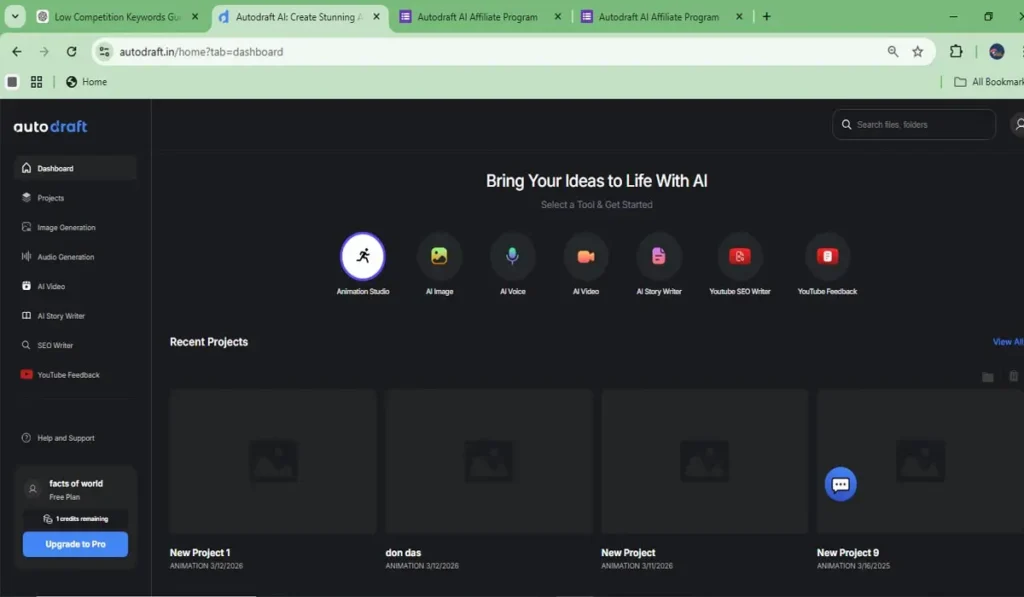
Why I Tried AutoDraft AI
this is ai tool is user friendly and make videos begginers also that i liked most add some features sitting, talking walking kicking and crying so many moments free to use and and editing also do this inside tool simple and get export fast full hd you can download free this is best one and simple cartoon charectors find essy to use drag and drap to all keys are simple find this tool in editing bar see some features and make a cartoon videos fast way and pricing also low thats why i choice this ai tool
Key Features
key features of this tool amazing
- frist i like chroma key simple select to object and remove green screen
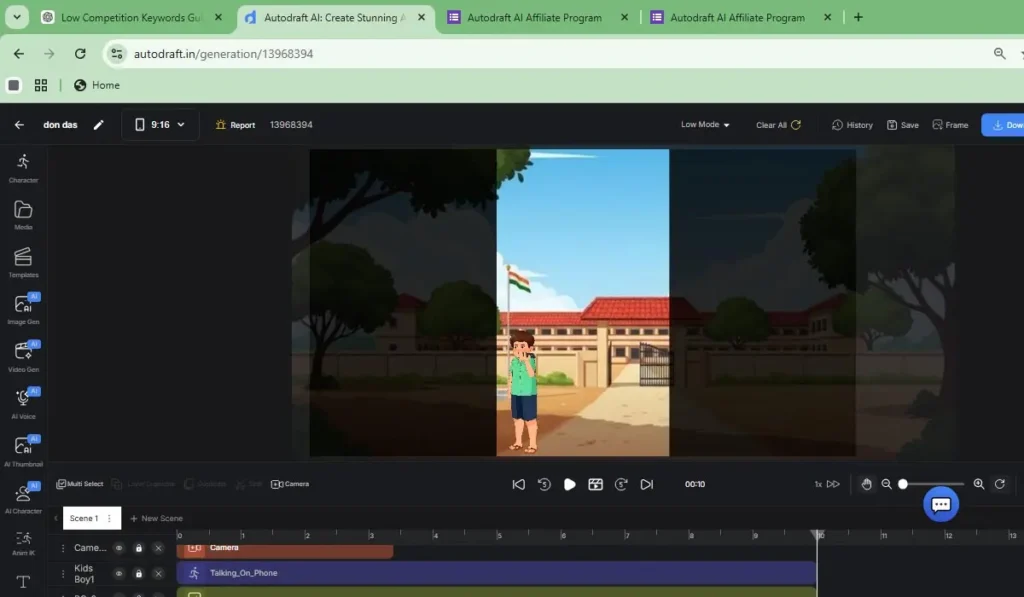
- characters essy to use drag and drap talk walk and some good moments like car driving
- and zooming this good feature select zoom option cartoon zoomed is nice
- next path this really good animation, started this point, a real walk, driving a rally.
- tool bar so clean simple to use
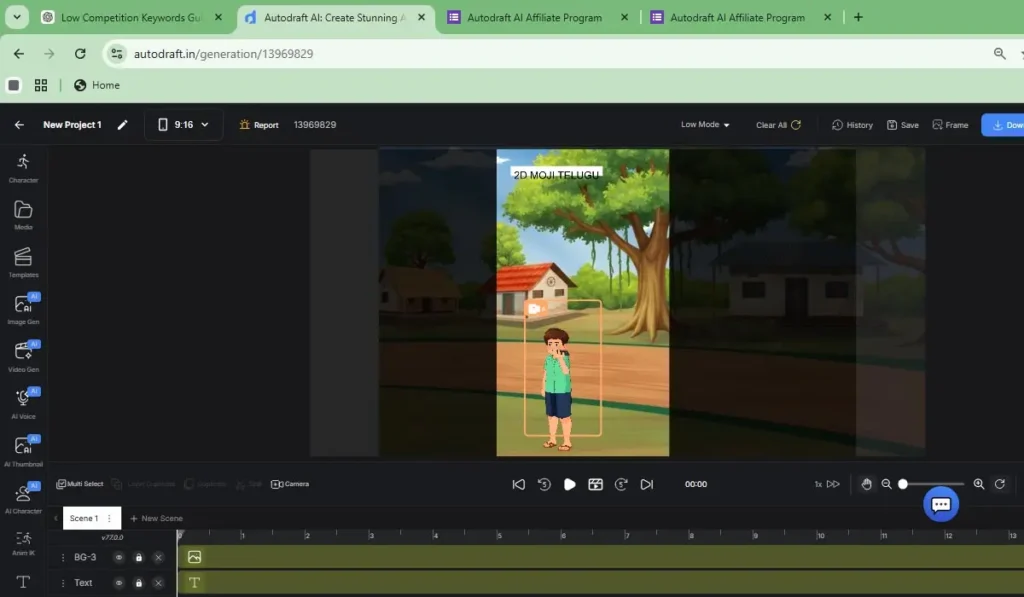
How I Created a YouTube Video
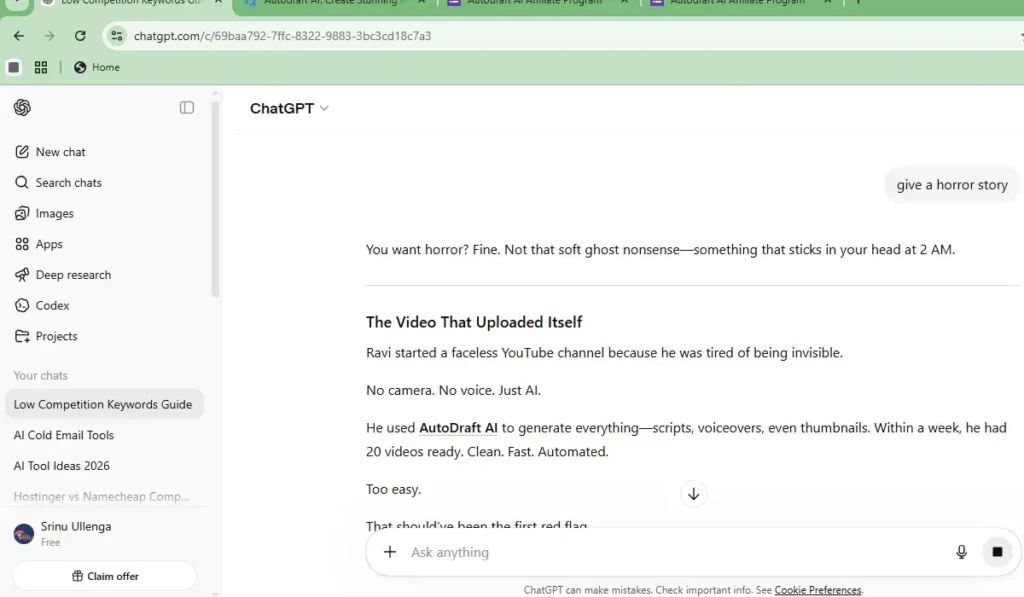
just go to the autodraft ai and create a account sing in and create a new project and you dont have a script just go chat gpt give story about horror and gpt will give a story take it and go to Autodraft AI choice a chartoon and backgrounds take and make and autodraft ai voice over you want buy plans and free ai voice over do you want just go google flow to choice a voice over to create a voice and thats limited but I prefer and go to autodraft ai add layers to background and voice over charectors to essy to edit for youtube videos or shorts this is fast for shorts videos
Pros (Advantages)
- Character Consistency: It is great at keeping the same character looking the same across different images. This is perfect for storytelling.
- User-Friendly: The interface is simple and easy to understand, even if you are not a professional designer.
- Time-Saving: You can generate complex art in seconds, which would normally take hours to draw manually.
- Creative Control: It offers tools to “pose” characters or guide the AI, giving you more power over the final result.
- All-in-One: It combines image generation, editing, and character management in one platform.
Cons (Disadvantages)
- Subscription Cost: While there is a free version, the best features and higher limits require a paid monthly plan.
- Learning Curve: To get the exact “perfect” image, you need to learn how to write detailed prompts.
- AI Imperfections: Like all AI, it sometimes makes mistakes with hands, fingers, or very small details.
- Internet Dependent: You need a stable internet connection to use it, as it is a cloud-based tool.
- Limited Style: Sometimes the “AI look” can feel repetitive if you don’t experiment with different styles.
Summary Table
| Feature | Benefit |
| Best For | Comics, Storytelling, and Character Art. |
| Ease of Use | High (Very simple). |
| Price | Free tier available / Paid for Pro features. |
AutoDraft AI vs. Leonardo AI: Comparison Table
| Feature | AutoDraft AI | Leonardo AI |
| Best Used For | Keeping characters consistent across many scenes. | Creating high-end, professional digital art. |
| Learning Curve | Easy. Very simple for beginners to start. | Medium. Has many advanced settings to learn. |
| Art Styles | Focuses on comic, anime, and story styles. | Massive variety (Photorealistic, 3D, Vintage, etc.). |
| Daily Free Credits | Limited (Good for small projects). | Generous (150 tokens every day). |
| Human Feel | Feels like a “Story Assistant” helping you finish a book. | Feels like a “Professional Artist” in a high-end studio. |
| Main Strength | Character cloning and scene layout. | Model training and image quality. |
Final Answer
Choose AutoDraft AI if you are working on a specific project where the character’s face must not change. Choose Leonardo AI if you want to explore professional design and need a tool that gives you more free images every single day
Frequently Asked Questions (FAQs)
1. Is AutoDraft AI free to use?
- Answer: Yes, AutoDraft AI has a free version. You get free credits to start your projects. However, for high-quality 4K downloads, more credits, and advanced features like “AI Voice Cloning,” you will need a paid subscription (Base or Pro plan).
2. Can I use the images and videos for my YouTube channel?
- Answer: Yes! AutoDraft AI is designed for creators. You can use the content you generate for commercial purposes, including YouTube, social media, and marketing. It even helps you create “Copyright-free” background music to avoid strikes.
3. How does it keep the same character in different scenes?
- Answer: This is its best feature called “Character Consistency.” You can create a “Custom AI Model” of your character. Once trained, the AI remembers that specific face and style, allowing you to place the same character in different locations or poses easily.