
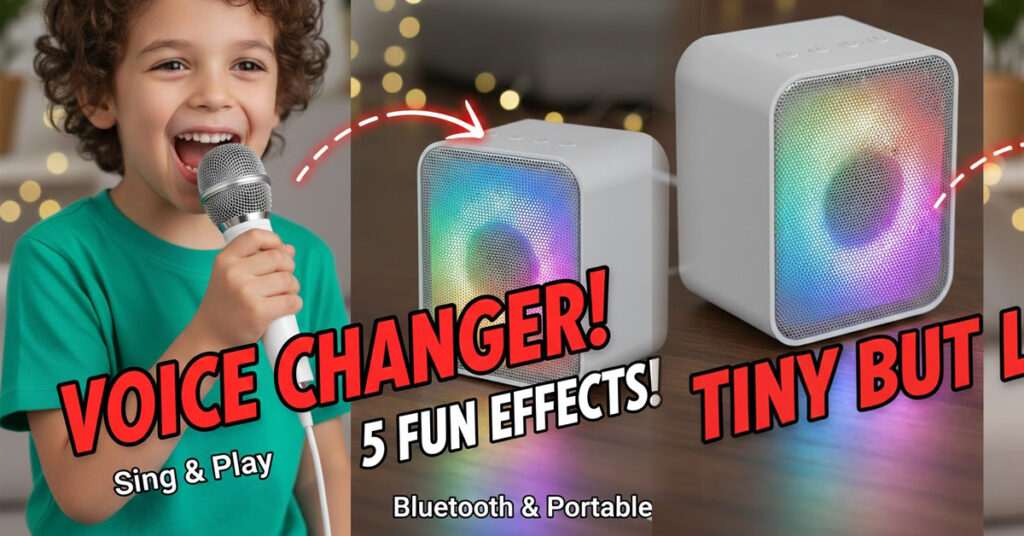
In 2026, finding toys that pull kids away from screens and into active, creative play is a win for any parent. The Storio Rechargeable Wireless Mini Portable Bluetooth Karaoke Machine has become a standout favorite for its ability to turn any living room into a concert stage.
Whether you’re looking for a birthday gift or a way to liven up family gatherings, here is everything you need to know about this musical toy.
Key Features at a Glance
All-in-One Entertainment: Combines a high-quality Bluetooth speaker with a wireless microphone.
Dynamic LED Lights: Features multi-colored lights that pulse to the beat, creating a real party atmosphere.
Voice Change Magic: Includes 5 fun voice effects (like monster, baby, and deep voice) to keep kids laughing and experimenting.
Highly Portable: Weighing only about 200-400g, it’s small enough for a toddler to carry but powerful enough for a small garden party.
Rechargeable Freedom: Offers 5–6 hours of playtime on a single charge via USB, so the show doesn’t stop for batteries.
Technical Specifications
| Feature | Details |
| Model | SC1772 |
| Connectivity | Bluetooth, AUX, USB, and TF Card |
| Compatibility | Smartphones, Tablets, Laptops, and MP3 Players |
| Battery Life | 5 to 6 Hours (Built-in Rechargeable) |
| Dimensions | Approx. 10 x 10 x 5 cm |
| Recommended Age | 18 Months to 12 Years |
Why It’s More Than Just a Toy
Beyond the fun, karaoke machines like the Storio offer several developmental benefits:
- Builds Confidence: Singing in front of family helps children overcome shyness and improves public speaking skills.
- Improves Literacy: Following along with lyrics on a connected tablet or phone helps with word recognition and reading speed.
- Family Bonding: It’s a “bridge” toy that encourages parents, siblings, and grandparents to join in and share their favorite songs.
How to Use It
Charge: Connect the speaker and mic to a USB power source.
Power On: Hold the power button on the top; the mic and speaker usually pair automatically.
Connect: Open Bluetooth settings on your phone and look for “K12” or “Storio.”
Sing: Open YouTube or any karaoke app, pick a song, and let the concert begin!